Using Terraform To Setup OICD

Rohan Büchner / March 22, 2025
READING TIME •
How to Set Up OIDC Between GitHub and AWS Using Terraform
What is OIDC?
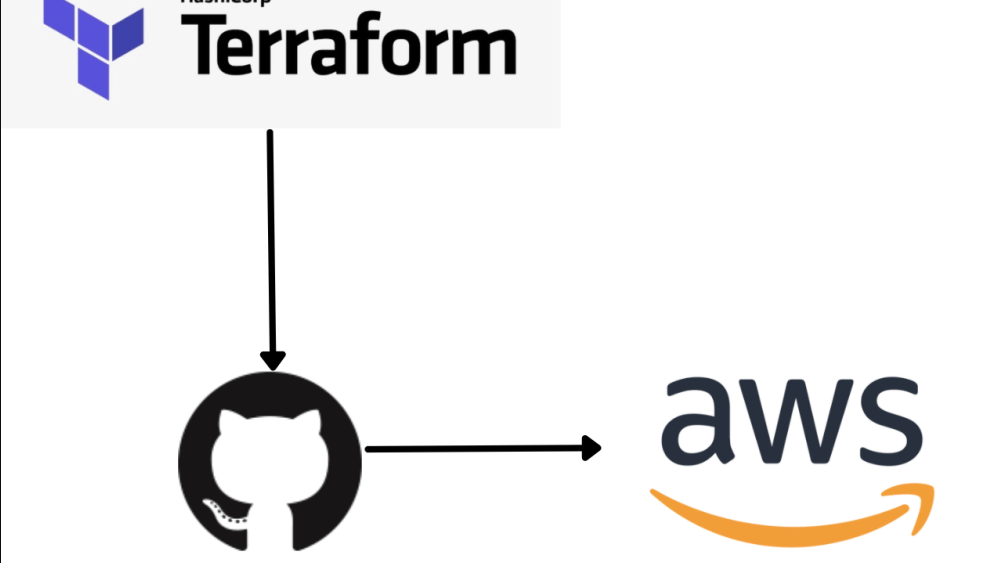
AWS Access tokens are old news these days. A much better approach is using OpenID Connect (OIDC) whenever possible. In our case it lets you securely authenticate GitHub Actions to assume roles in AWS without needing long-lived credentials (like access keys). It's safer, cleaner, and ideal for CI/CD pipelines.
The parts you need
- A GitHub repository & An AWS account
- Terraform installed
- Github CLI
- The following Terraform
providers&resourceswill form the core of the task- AWS
- Provider
- Resources
- aws_iam_openid_connect_provider
- aws_iam_role
- aws_iam_policy
- aws_iam_role_policy_attachment
- Github
- Provider
- Resource
- github_actions_secret
- AWS
1. Setup Service Providers
provider "aws" {
  region = var.aws_region
}

provider "github" {}
2. Add OIDC Provider To AWS
resource "aws_iam_openid_connect_provider" "github_oidc_terraform_plan" {
  url             = "https://token.actions.githubusercontent.com"
  client_id_list  = ["sts.amazonaws.com"]

  thumbprint_list = ["6938fd4d98bab03faadb97b34396831e3780aea1"]

  tags = {
    Managed_By  = "Terraform"
  }
}
If you are wondering what the hell is the Thumbprint. Don't worry, it can be used as is, but if you are suspicious (as you should be), feel free to check the Github docs. This Thumbprint is provided by Github itself.
3. Create your AWS roles & policies Terraform resources
# IAM Role for GitHub Actions
resource "aws_iam_role" "github_actions_terraform_role" {
  name = "GithhubTerraformRole"

  assume_role_policy = templatefile("./assume_role_policy.json", {
    provider_arn = aws_iam_openid_connect_provider.github_oidc_terraform_plan.arn,
    github_repository   = var.github_repository
  })


  tags = {
    Managed_By  = "Terraform"
  }
}

# IAM Policy for GitHub Actions (Attach from policies folder)
resource "aws_iam_policy" "github_terraform_access_policy" {
  name   = "GithubSsmAccessPolicy"
  policy = templatefile("./ssm_access_policy.json", {
    s3_bucket      = var.s3_bucket
    aws_account_id = var.aws_account_id
    iam_role       = var.iam_role
    dynamodb_table = var.dynamodb_table
    aws_region     = var.aws_region
  })

  tags = {
    Managed_By  = "Terraform"
  }
}

# Attach Policy to Role
resource "aws_iam_role_policy_attachment" "github_actions_attach_terraform_policy" {
  role       = aws_iam_role.github_actions_terraform_role.name
  policy_arn = aws_iam_policy.github_terraform_access_policy.arn
}
4. Define your AWS policies
assume_role_policy.json
{
    Version = "2012-10-17"
    Statement = [{
      Effect = "Allow"
      Principal = {
        Federated = aws_iam_openid_connect_provider.github_oidc_terraform_plan.arn
      }
      Action = "sts:AssumeRoleWithWebIdentity"
      Condition = {
        StringEquals = {
          "token.actions.githubusercontent.com:aud" = "sts.amazonaws.com"
        }
        StringLike = {
          "token.actions.githubusercontent.com:sub" = "repo:${var.github_repository}:*"
        }
      }
    }]
  }
The next one is the pain in the ass one, as if you want to be secure you have to manually sift through the exact actions you will allow, or if you are a cowboy, just allow all. (To be clear, do not allow all... but just to not have this post be a million miles long will
ssm_access_policy.json
{
  "Version": "2012-10-17",
  "Statement": [
    {
      "Effect": "Allow",
      "Action": [
        "iam:*",
        "ec2:*",
        "eks:*",
        "ecr:*",
        "rds:*",
      ],
      "Resource": "*"
    },
    {
      "Effect": "Allow",
      "Action": "dynamodb:*",
      "Resource": "arn:aws:dynamodb:${aws_region}:${aws_account_id}:table/${dynamodb_table}"
    },
    {
      "Effect": "Allow",
      "Action": [
        "s3:*"
      ],
      "Resource": [
        "arn:aws:s3:::${s3_bucket}/*",
        "arn:aws:s3:::${s3_bucket}"
      ]
    }
  ]
}
5. Write your Github Secret.
# GitHub Secrets Module
resource "github_actions_secret" "repo_secrets" {
  for_each    = {
    AWS_ARN = aws_iam_role.github_actions_terraform_role.arn
  }

  repository  = var.repo_name
  secret_name = each.key
  plaintext_value = each.value
}
✅ Run it
Run the above scripts using
terraform init &&
terraform plan -out tfplan &&
terraform apply tfplan
When the above code is complete, will have a new Github repo secret AWS_ARN that you can use in your actions to connect to AWS to interact with your stack.
 - name: Configure AWS credentials
   uses: aws-actions/configure-aws-credentials@v4
   with:
     role-to-assume: ${{ secrets.AWS_ARN }}
     aws-region: ${{ env.AWS_REGION }}
Additional context. You will most likely have the above as a separate Terraform script which you can run from a AWS session with elevated permissions. Perhaps your admin CLI account (with SSO auth of course).
Then your Github workers will can the above to provision additional infrastructure as per what your IAM policy allows.
Bonus
If you want to have your Terraform code that provisions and maintains your infrastructure run on a pull request I have found this really good tutorial by @cloudscalr on YouTube
Loading video...